This Portfolio is Built Like a Product
See the complete build process and documentation
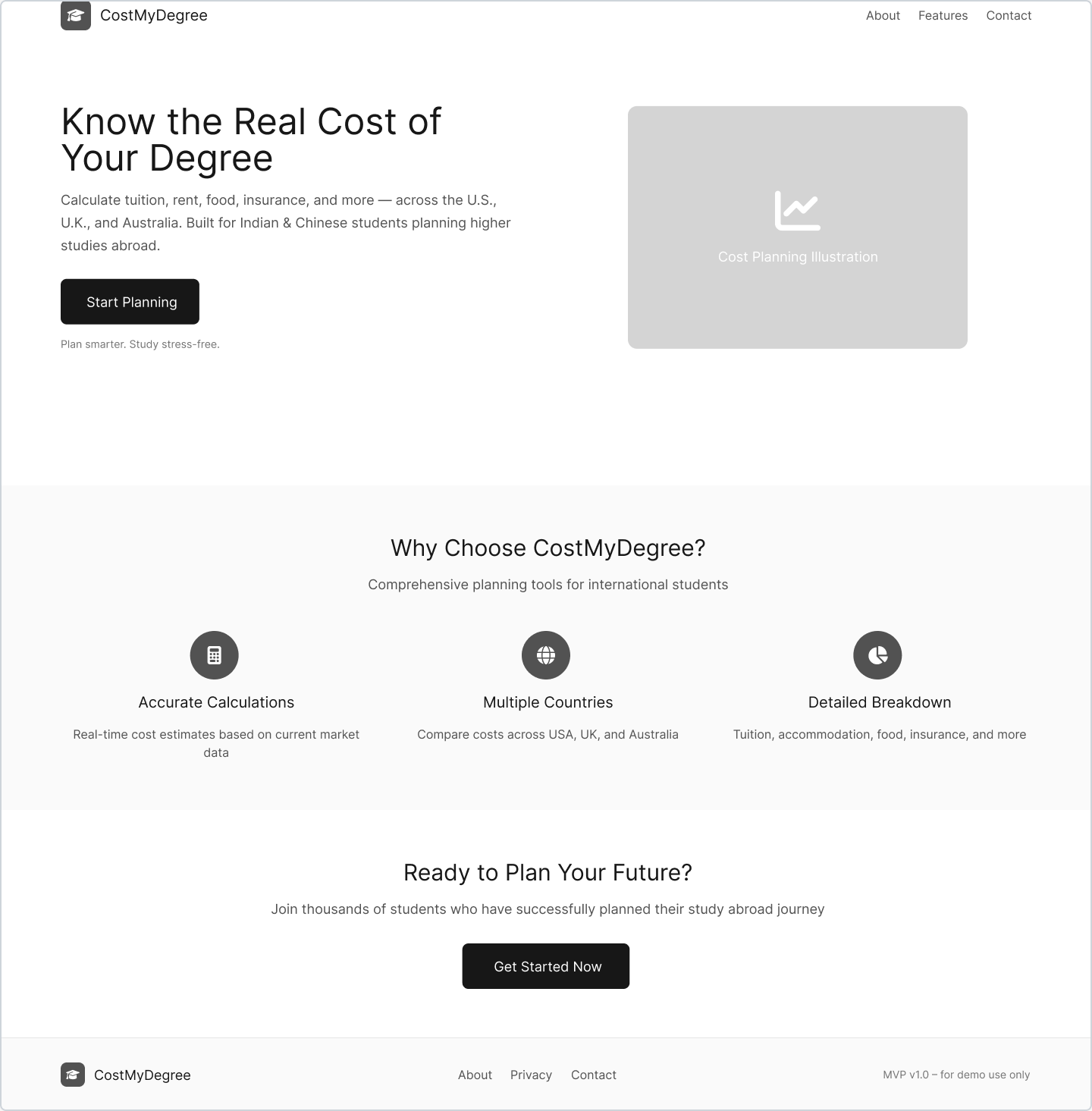
CostMyDegree
Helping international students plan the real cost of studying abroad — from idea to MVP in 7 days.
Project Summary
Role
Product Manager
Timeline
7 Days
Tools
Figma, V0.dev, Notion
Status
Live & Iterating
The Problem
International students face significant uncertainty when planning study abroad costs. While tuition fees are clearly advertised, the hidden expenses — rent, food, insurance, travel, and daily living costs — often catch students and families off guard.
Existing calculators are either too generic, outdated, or don't account for the specific needs of Indian and Chinese students planning to study in the US, UK, and Australia.
User Personas & Interviews
Priya (Indian Student)
Goal: MS in Computer Science, US
Pain Point: Hidden costs beyond tuition
"I need to know the real monthly expenses, not just tuition fees"
Wei (Chinese Student)
Goal: MBA in UK
Pain Point: Currency conversion confusion
"Every website shows different costs - I need one reliable source"
Vision & MVP Scope
Vision: A comprehensive, accurate, and user-friendly cost calculator that helps international students make informed decisions about studying abroad by providing realistic budget estimates across multiple countries and scenarios.
Tuition Input
Enter program costs with helpful ranges
Living Costs
City-based rent, food, and utility estimates
Additional Expenses
Travel, insurance, and personal costs
Scenario Planning
Conservative, likely, and stretch budgets
Export Options
Download as PDF or CSV for planning
From Idea to MVP
User Flow & Wireframes
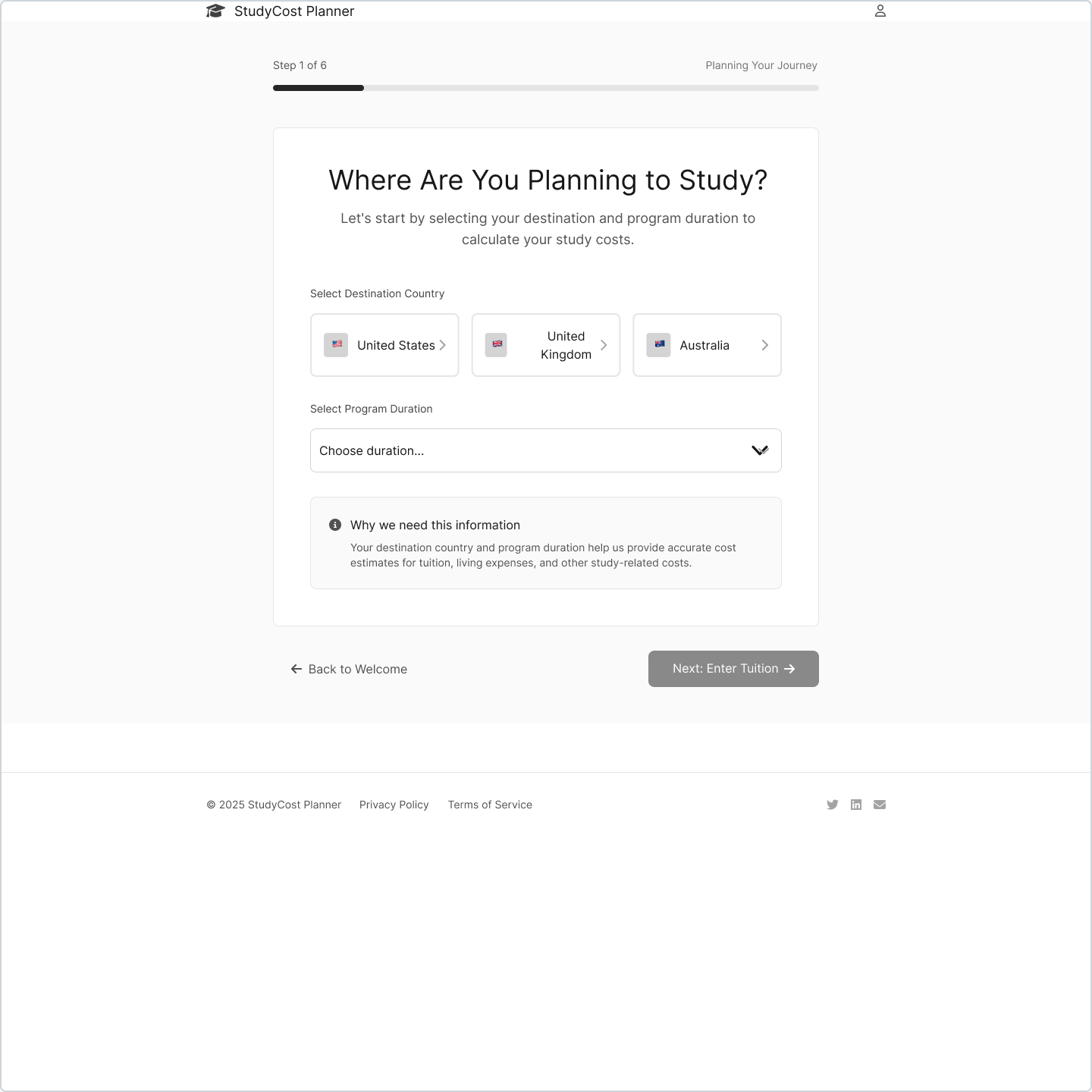
Step 1: Country & Program Selection
Final Implementation
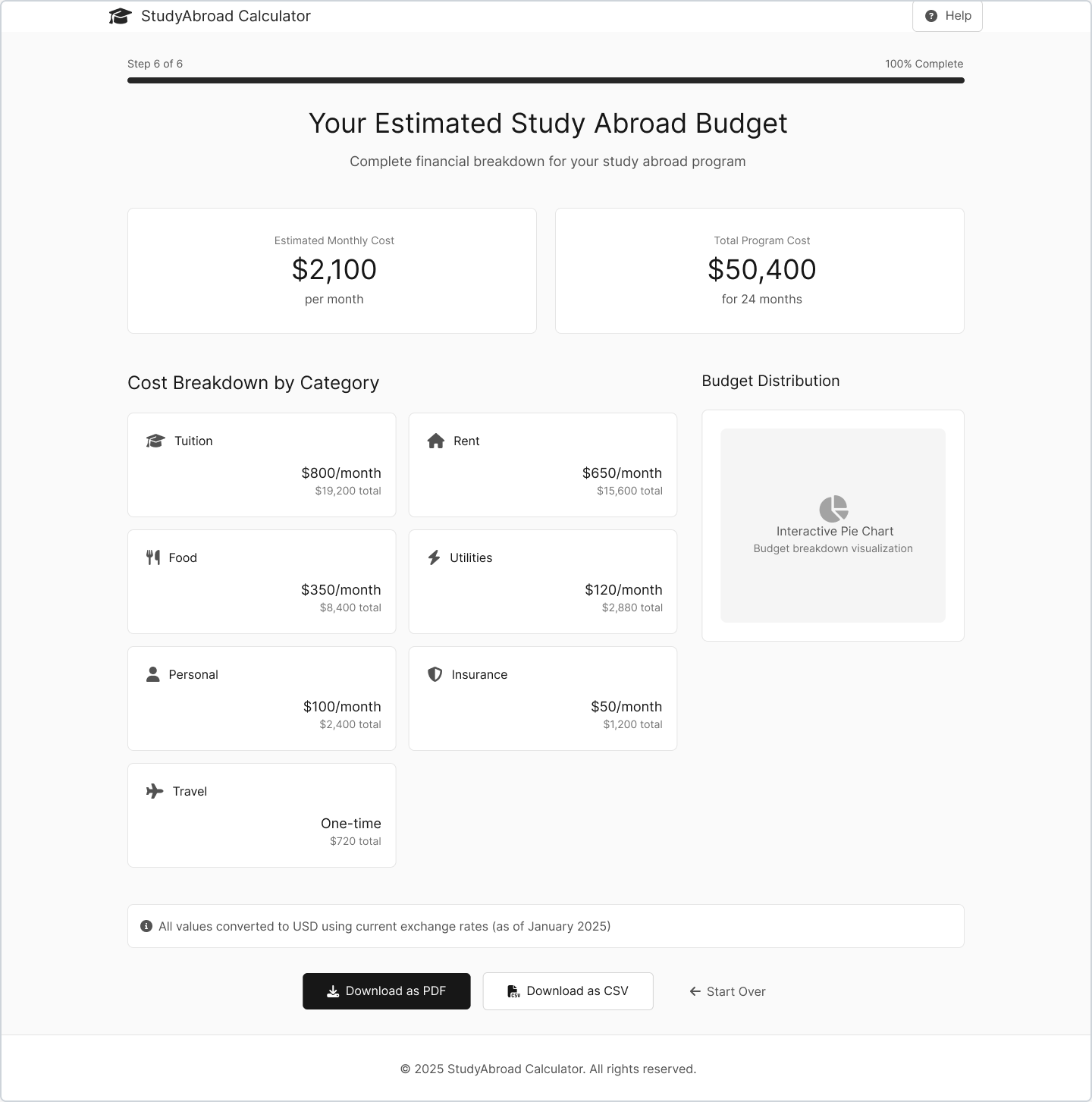
Final: Comprehensive Cost Breakdown
7-Day Build Cycle
Using V0.dev for rapid prototyping, I was able to go from wireframes to a fully functional MVP in just 7 days. This included user research, design, development, and initial user testing.
Complete User Journey
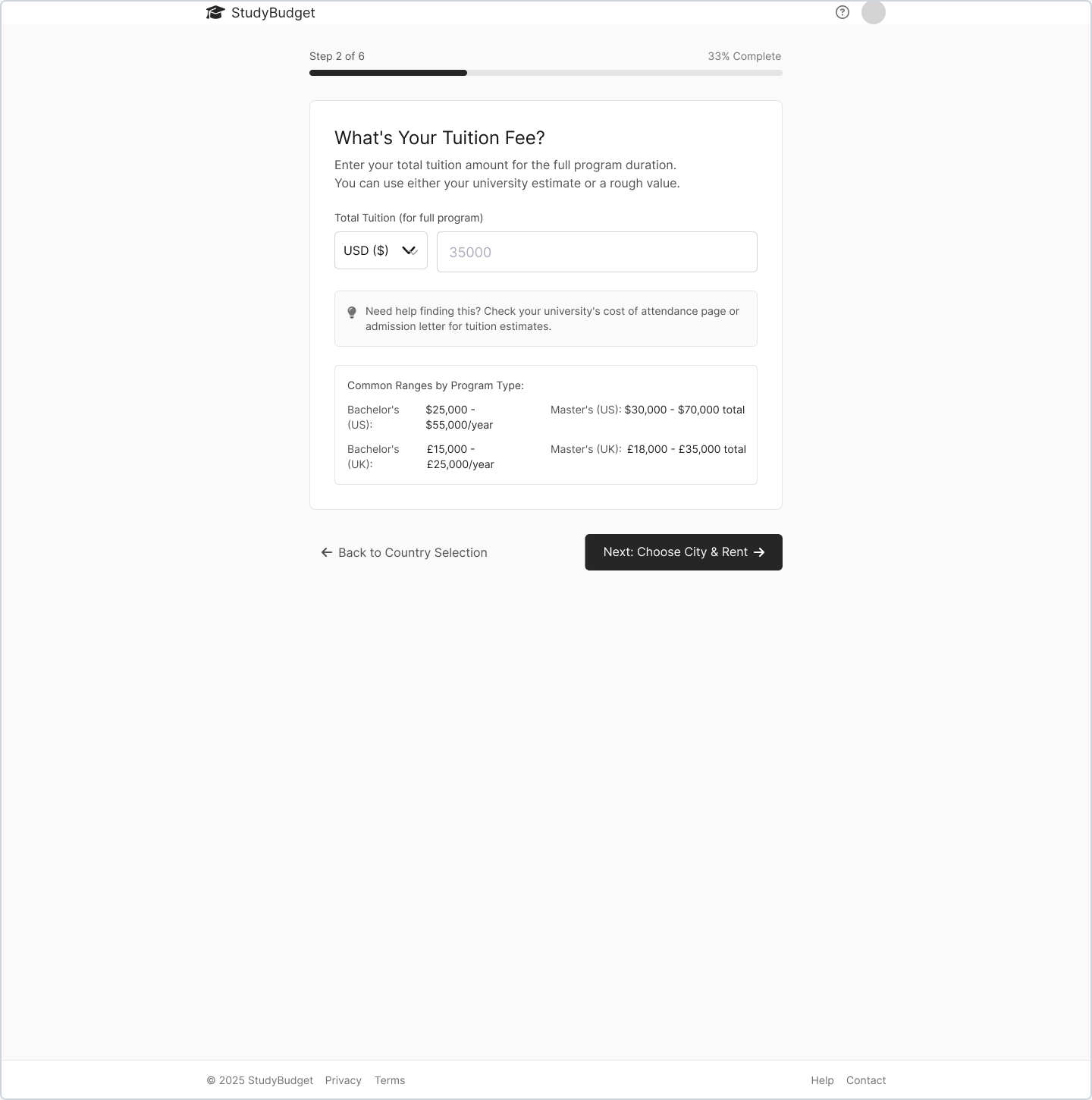
Step 2: Tuition Input
Enter program costs with helpful ranges by degree type
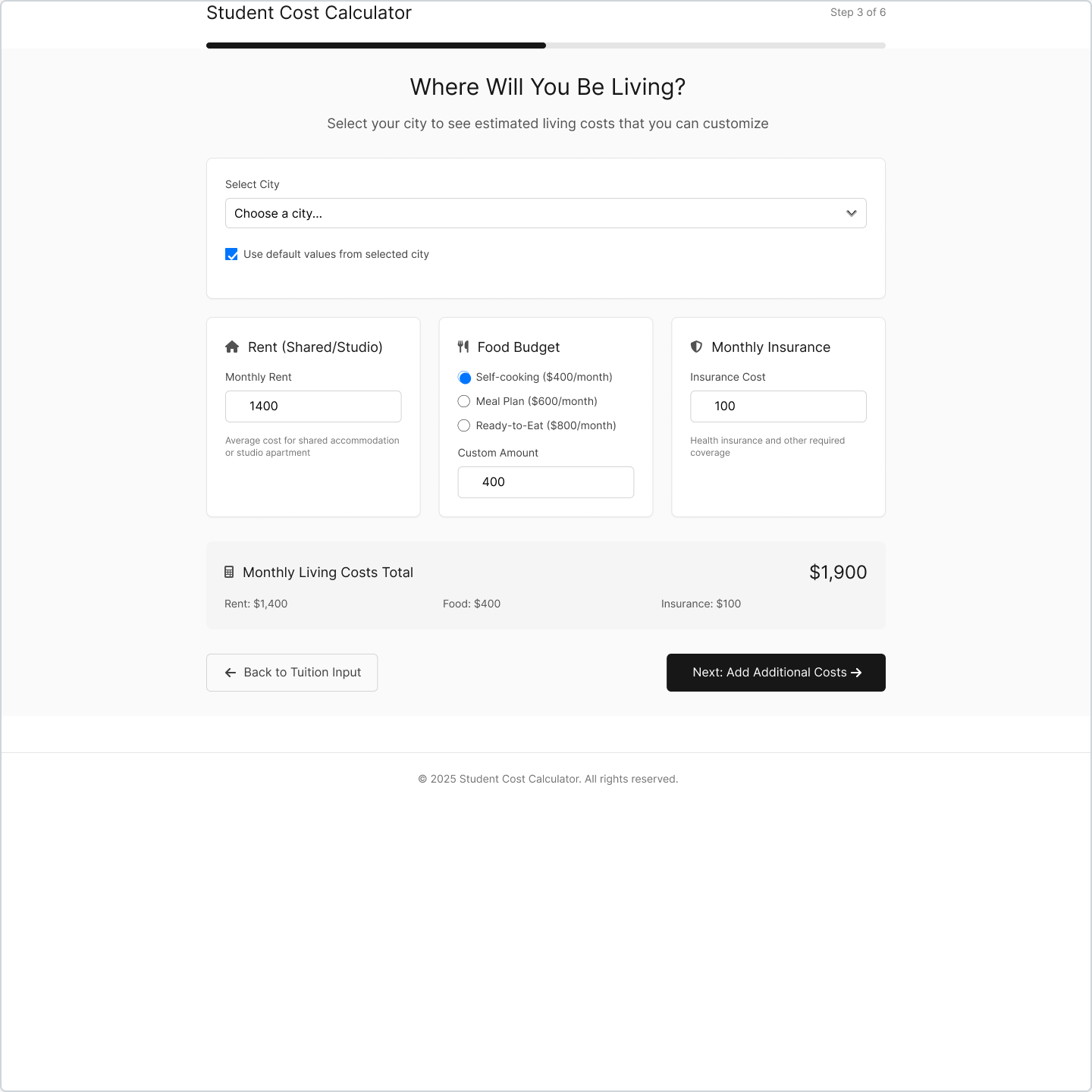
Step 3: Living Costs
City-based estimates with customizable options
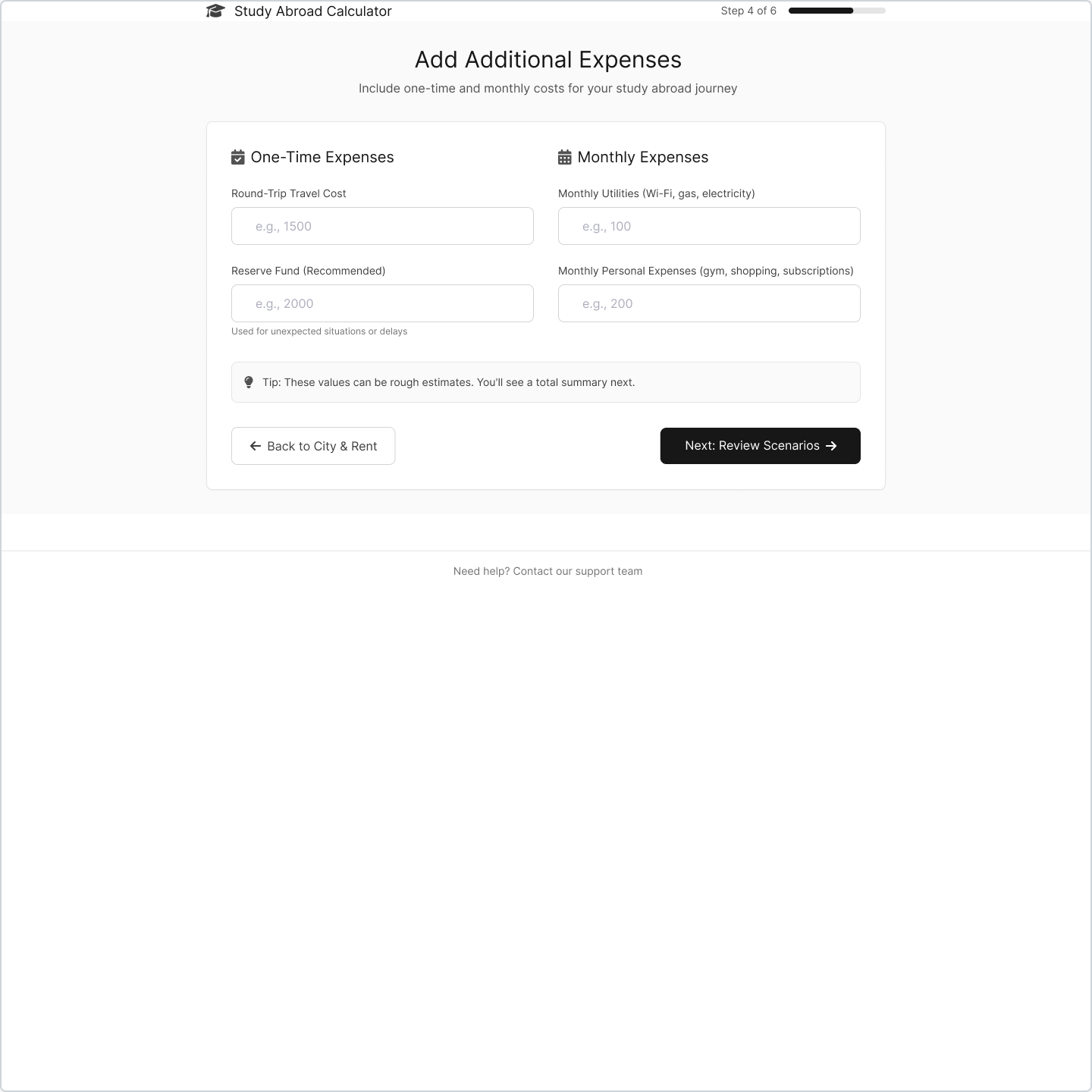
Step 4: Additional Costs
Travel, insurance, and personal expenses
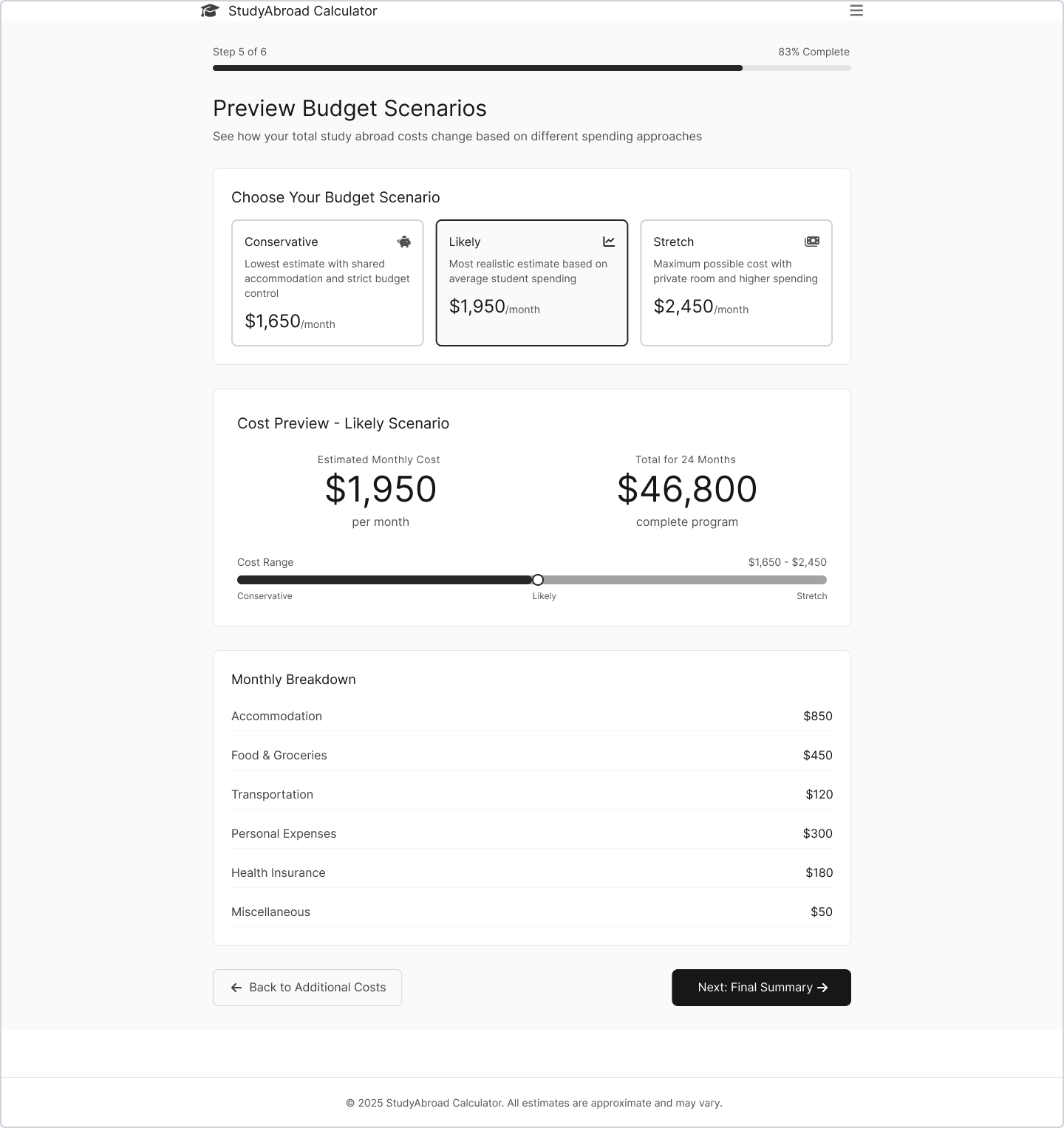
Step 5: Scenario Planning
Conservative, likely, and stretch budget options
Learning & Iterating
MVP
Days 1-5
Core calculator, 6-step flow, export functionality
v1.1
Days 6-7
QA fixes, UI polish, mobile optimization
v1.2
Week 2
Scholarships, commute costs, shareable links
Launch & Feedback
Launched the MVP to a WhatsApp group of 25 international students for initial testing. The response was overwhelmingly positive, with users appreciating the comprehensive breakdown and scenario planning features.
Key feedback focused on adding scholarship calculations and commute cost estimates — both now in the v1.2 roadmap.
"Finally, a calculator that shows the real costs!"
— Beta User 1
"The scholarship feature would be game-changing"
— Beta User 2
"Love the scenario planning - helps me prepare for different budgets"
— Beta User 3
Impact & Results
What's Next
v1.2 Features (In Progress)
- • Scholarship calculator integration
- • Commute cost estimates
- • Shareable budget links
- • Auto-save functionality
Future Roadmap
- • Multi-university comparison
- • Embeddable widget for universities
- • Mobile app development
- • AI-powered cost predictions
Key Takeaways
Rapid prototyping with V0.dev enabled incredibly fast iteration cycles
User feedback early and often is crucial for product-market fit
Simple, focused MVP beats feature-heavy initial releases
Documentation throughout the process enables better decision-making
"This project demonstrates my ability to take an idea from 0 → 1 in under a week, iterate based on user feedback, and deliver measurable impact for real users."